AI assisted app design & build
















Project details

With the emergence of AI in recent years, I've seen the roles of design, product and engineering begin to converge with new tools closing the gap between an idea and a shipped product. As a listener of both Lenny's Podcast and Dive Club, I've heard product leaders talk about this shift for some time.
Looking forward, I knew I had to adapt and learn these tools. But my recent experience working with complex, data-heavy admin products wasn't the environment to test it. So I decided to build a small 'demo' app in my spare time that addressed a pain point I face in my own day-to-day.
The goal was never to build and ship a fully fledged product into the market (although I'm definitely interested in doing this in the future), it was to build, fail and learn in a sandbox environment to equip myself with the skills and experience to thrive in an AI-driven world.
I had two goals going in: build something real using AI in a structured, considered way - not vibe coding; and design something with more visual range than my day job typically allows… Let me introduce you to WOO - We're Out Of.

Sharing a house with three other people means we regularly run out of basics — toilet roll, toothpaste, coffee — not because we're disorganised, but because there's no shared signal when something's running low or out.
After reflecting on my own experience and chatting to my three housemates, we identified the three frustrating scenarios that occur in our day-to-day as a result of not having a shared shopping list:
Not having essentials at the time of need
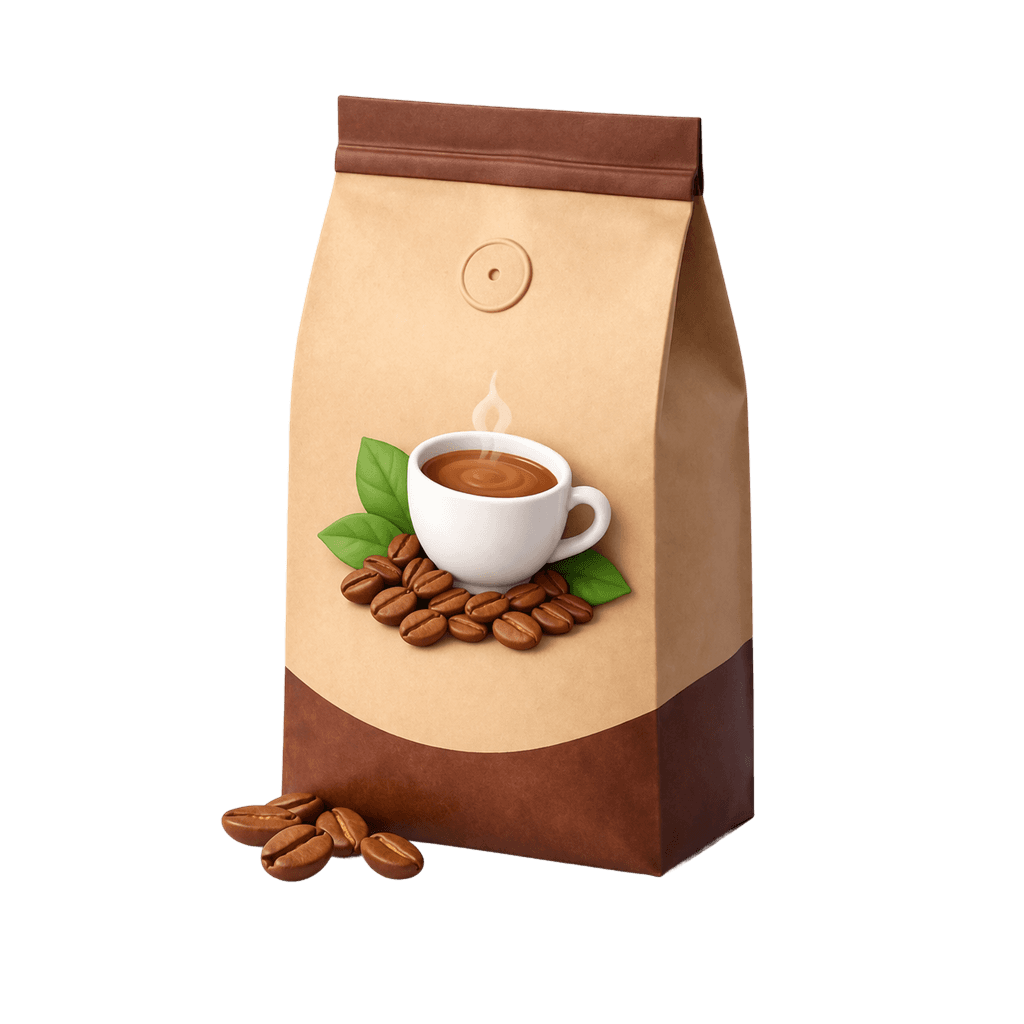
We've all been there on a Sunday morning, you pop on your dressing gown and go to make a nice cup of joe only to find an empty coffee container in the cupboard. Heading out to restock in your slippers…. No chance!
No shared list means multiple housemates often buy the same item, causing duplicates
Without shared tracking or a list, multiple people pop into the shops on their way home and end up purchasing the same item. We often find ourselves with six litres of milk in the fridge that's going to expire in four days… Milkshake party, anyone?
Reminder messages get lost in the house Whatsapp
We do our best to send a quick note in the group when we need more dishwashing liquid or tea bags, but the chat serves many other functions including ranting about our neighbours or sending not particularly funny memes. As a result, reminders often get lost to the WhatsApp ether.
After settling on my core problem areas, I began thinking about what features my app would need in order to address them. I produced some very low-fidelity sketches to visualise how they might look within the interface. I landed on the core epics below for MVP:
Basic account & household management
This includes the ability for users to login, create and customise accounts, manage notifications. Additionally, users need to be able to create, join & invite members to a house. While these epics don't address user needs directly, they're the fundamentals for a functioning app.
Inventory tracking
I tried to keep this simple, a predefined list of household basics that were either 'in stock' or 'on the shared shopping list'. If my housemates were actually going to use this, it needed to be simple and easy to understand. In its simplest form, this functionality addresses all problem areas listed above.
Gamification
I wanted a basic leaderboard and stats section to keep things engaging, think NYT games or Duolingo. For this app to work my house needs to want to use it. What better way to achieve this than to make it fun and competitive?
Being my first time building with AI, I was cognisant of not blowing out my scope and overcomplicating things. Below were some features/functions there was value in but we (My CTO and I - more on this later) chose to leave out but still documented for future consideration in our Product.md:
Custom items
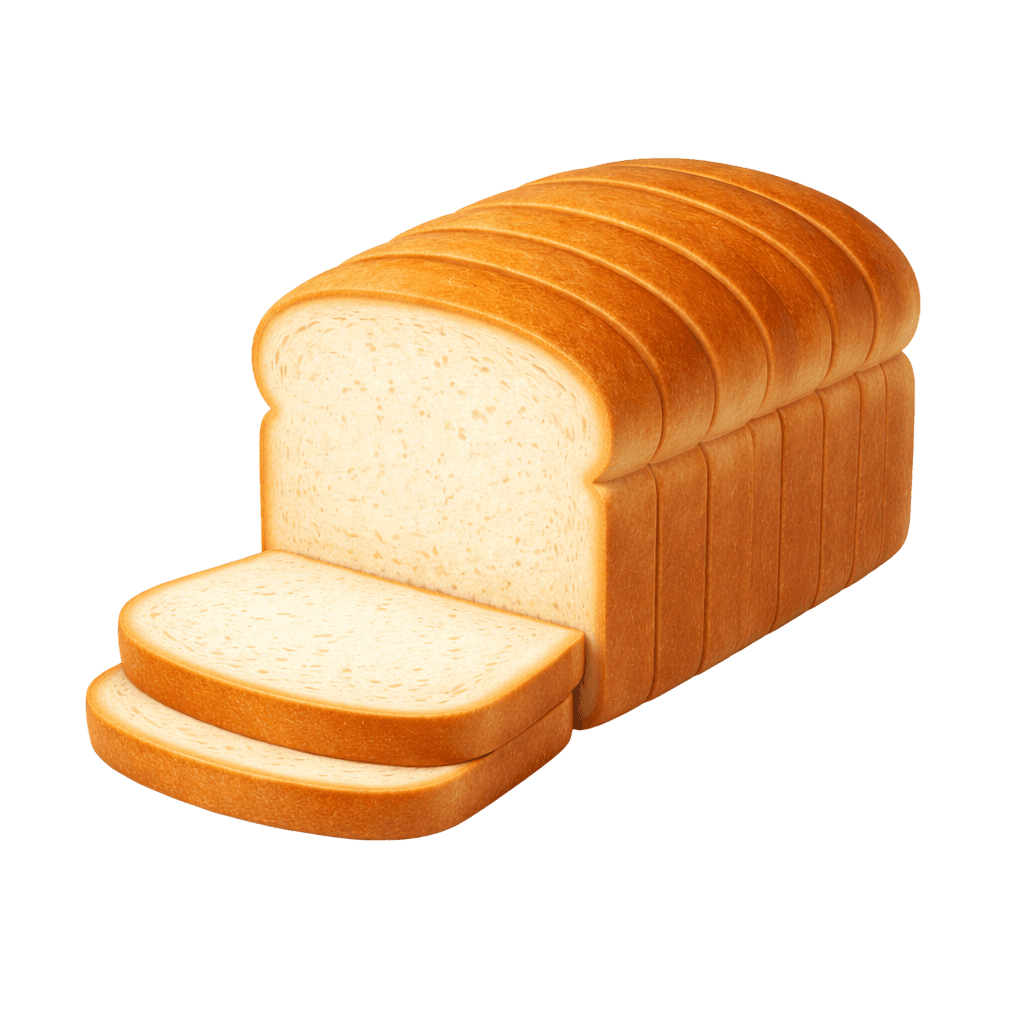
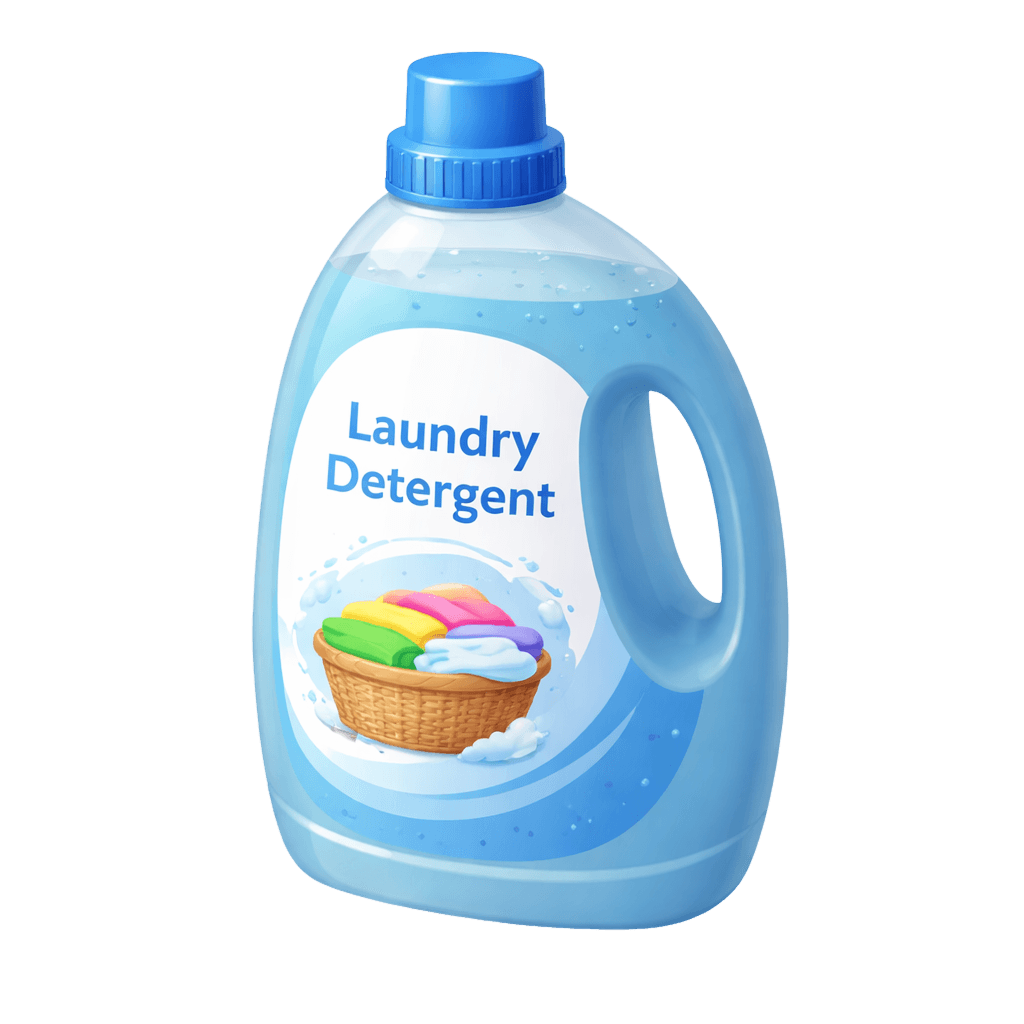
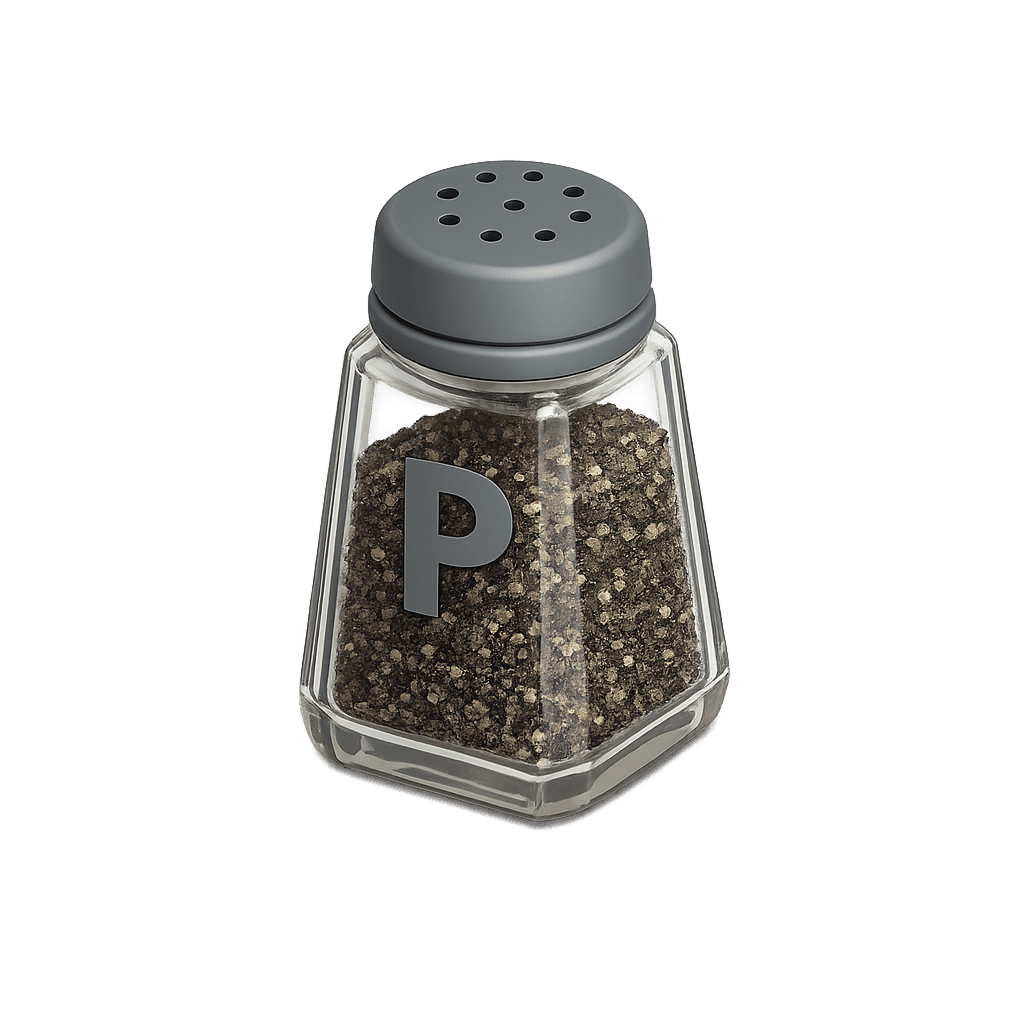
The 17-item catalogue was enough to demonstrate the core concept. Custom items adds scope by way of UI for creating, managing, and categorising items, this didn't meaningfully advance the design or AI workflow story.
Autopurchase integrations
Connecting to Amazon or similar requires API partnerships, OAuth flows and other infrastructure that would have been overkill for a demo app used just by my house.
Web-only, no native app
A native iOS/Android app requires a separate build process, app store submissions, and platform-specific constraints that would have added significant complexity and effort. Web-first achieved the same demo goal in a fraction of the time
When it came to developing the brand, I focused on a 'target market' of share houses among my friends and intuitively knew the type of brand personality that would resonate. I wanted a brand that was contemporary and engaging, that didn't take itself too seriously and brought a little bit of 'fun' to the overall experience.
With that in mind, I began a brand benchmarking exercise to help me hone in on the look and feel I was after, focusing on brands and applications that resonated with me and my friends with their visual language.
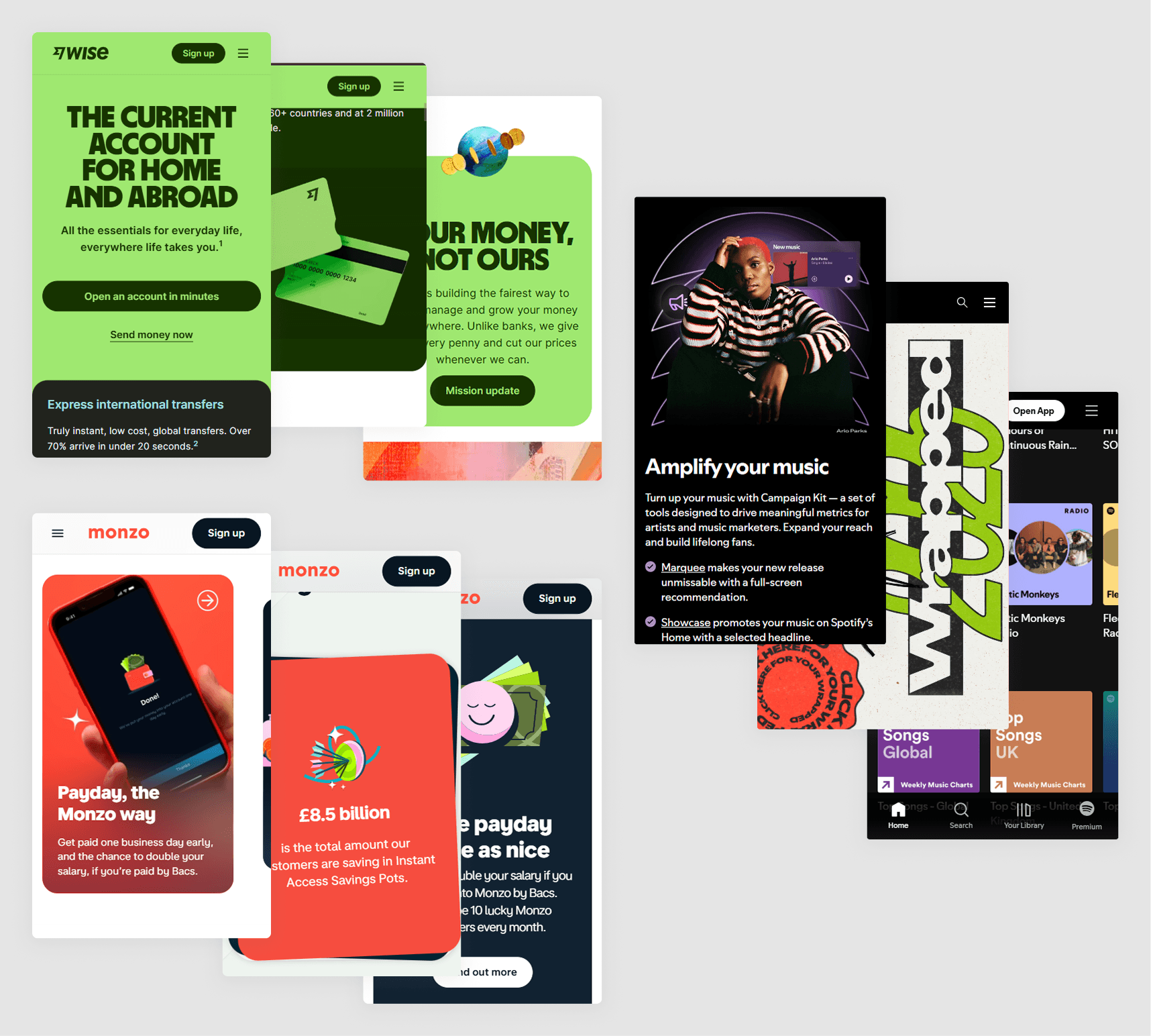
I benchmarked aspirational brands including Wise, Monzo & Spotify
Following the benchmarking process I began exploring different typography and colour combinations, I gave myself space to explore freely before converging on one direction.
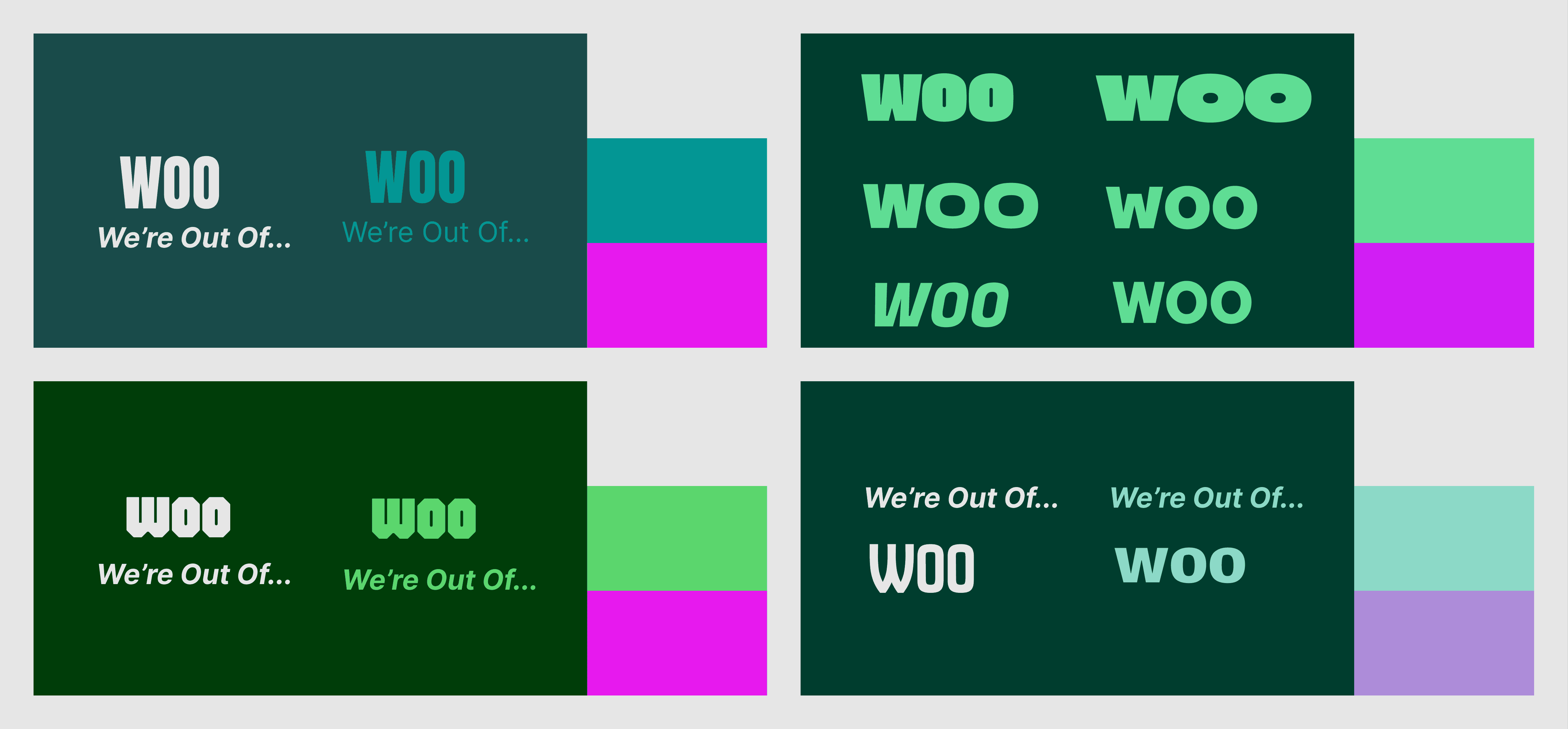
Very early stage colour palette & logo wordmark explorations
Following these explorations I continued to work through establishing a light brand. For my purposes this didn't need to be exhaustive, so I focused effort on building out the essentials which would give me a solid base from which to build the UI at a later stage.
Colour palette
I landed on a palette that was based on two primary greens that contrasted each other well. I knew my colours would also need to support an accessible and usable UI down the track so I included darker green/off-white for surfaces and pink as an accent.
Typography & wordmark
For the wordmark, I converted the 'Fugaz One' font into a vector and made some adjustments to suit the brand, the forward lean of the text expresses the brand as something quick and snappy.
The combination of sans-serif fonts League Gothic & Barlow Condensed provided a type system that was on-brand and flexible to deliver across multiple contexts.
Textures & gradients
I introduced a simple pack of textures aligned to the core brand colours to help the branding feel more tactile, these textures ended up carrying through to the intersection in the WOO wordmark.
I also introduced some subtle gradients, noise and texture to surfaces to continue the theme of tactility.
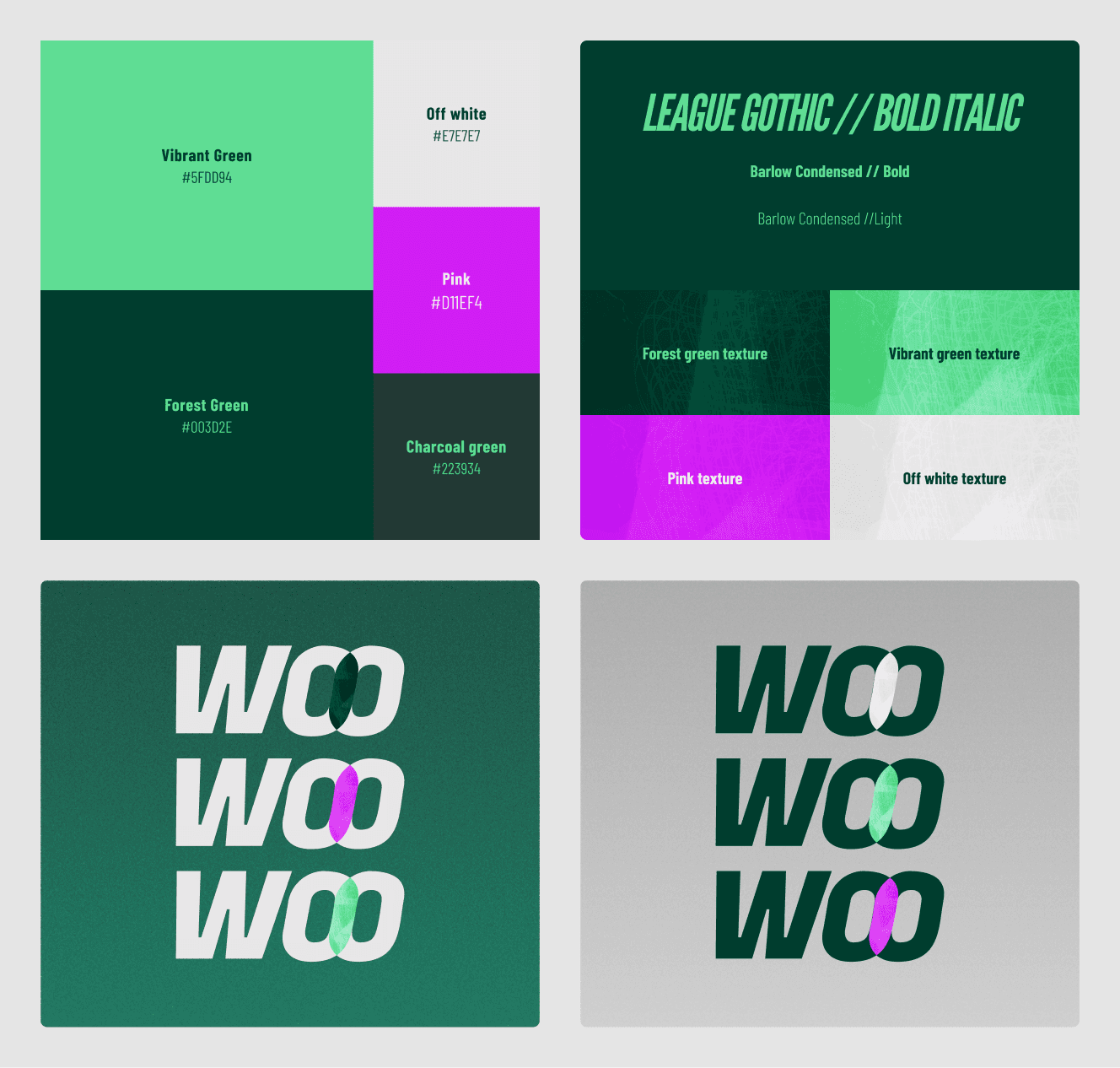
Packaged up brand assets
Following on from the brand definition, I began to work through developing a design system which was built token-first in Figma. The Claude <> Figma MCP was incredibly valuable in defining these assets and passing them straight to code.
Tokens were wired into Tailwind v4's theme config. Every colour, spacing value, radius and text style was established. Shadcn components inherit the WOO visual language automatically, streamlining the process of establishing a scalable design system.
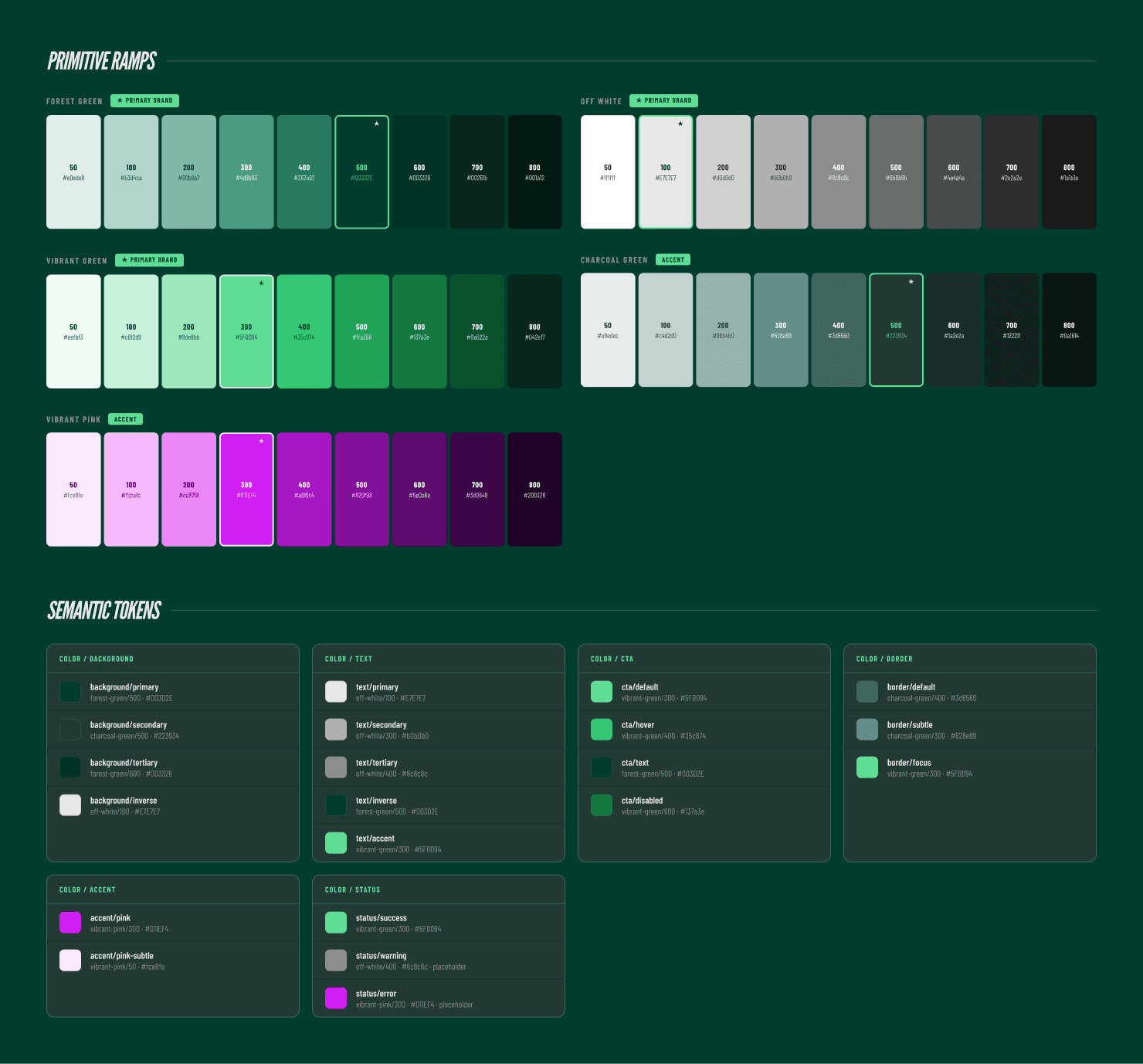
The Claude MCP helped me define & document the colour system & other key UI components
Once the foundational UI elements were defined, I worked through a process to continue bringing the WOO brand personality into the app experience. I leaned on the following avenues to help execute on this:
Isometric illustrations
I utilised a JSON script with ChatGPT to generate product icons and user avatars in a consistent style, with lighting and textures inspired by Airbnb. This repeatable and structured approach helped avoid 'AI drift' when generating assets.
Gamification & profile customisation
I created a set of badges which are rewarded to users after they 'restock' items five times. Household members can track their ranking in the house and progress in earning badges as they purchase. Additionally, I designed all user profiles and their respective badges to align with one of the brand colours, this can be customised by each user.
Frosted glass
Implemented across 'floating' navigation items & overlays to bring a sense of depth to the experience
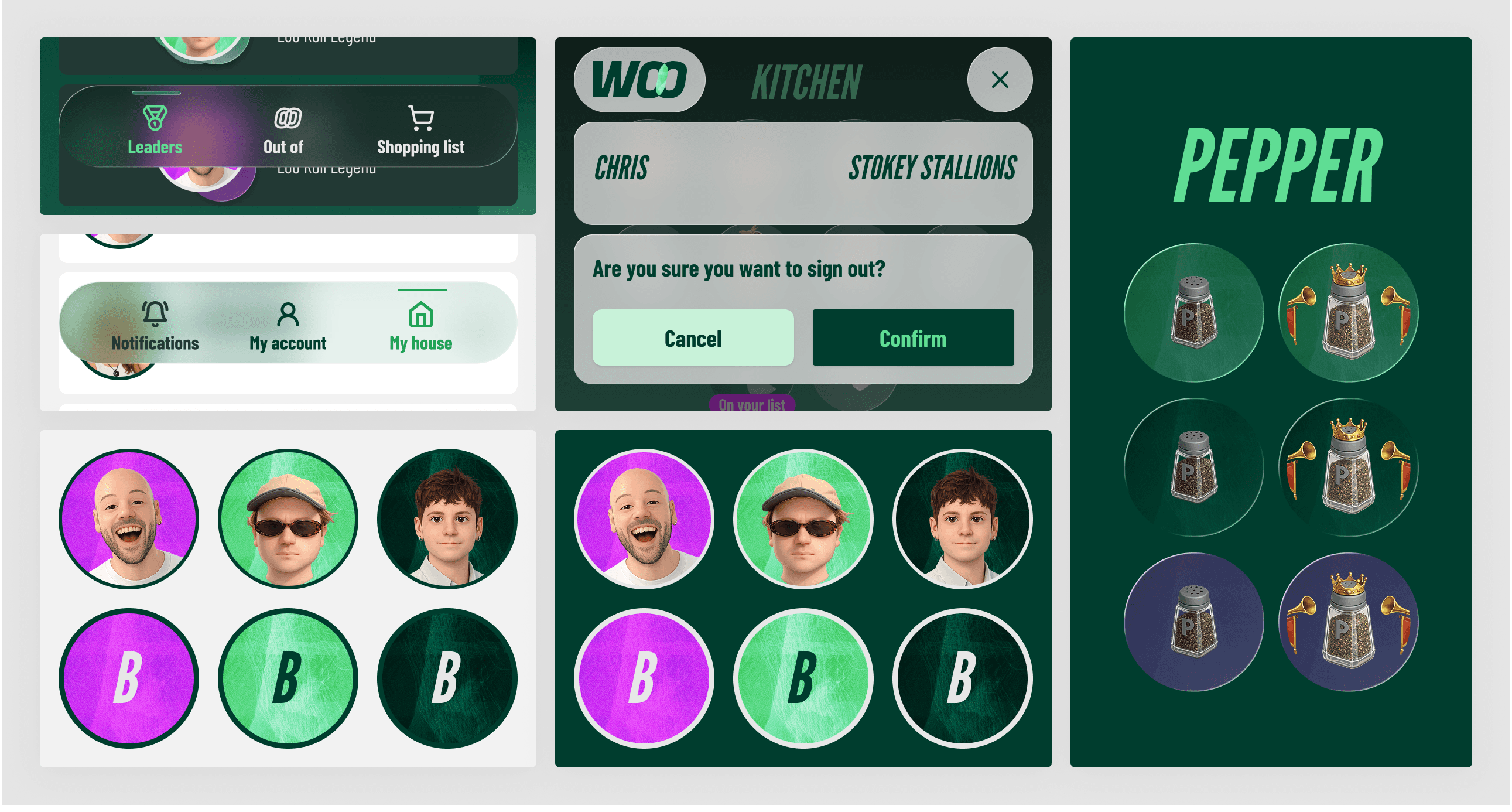
UI assets that incorporate the isometric icons, frosted glass, gamification badges and brand textures
Motion and a 'single canvas' feel
Wanting to ensure the WOO experience felt elevated, I developed a series of micro interactions. These were designed to be subtle and ensure the product still felt grounded real-world physics.
I built the two core areas of the app to have unique 'single canvas' experiences, the idea was to make the experience feel quick and responsive, where users could zip around a canvas without having to load different pages. The main app canvas was distinct from the settings canvas, as both areas use unique navigation bars and background colours (green and white respectively).
'Single canvas' navigation and motion in action
Animation
Inspired by those addictive moments of delight from platforms such as Strava or Monzo, I also implemented more substantial moments of 'delight' when a user first logs in or earns a badge, helping keep the experience rewarding.
I referenced some of my favourite apps (Monzo, Airbnb & Strava) to get a feel for playful yet subtle motion I was striving for
Moments of delight within the WOO experience
While I still used Claude to help speed up my workflow via documentation, I continued iterating on the Figma canvas. The process of exploring different approaches was critical in finally landing on UI patterns that felt right for the WOO brand.
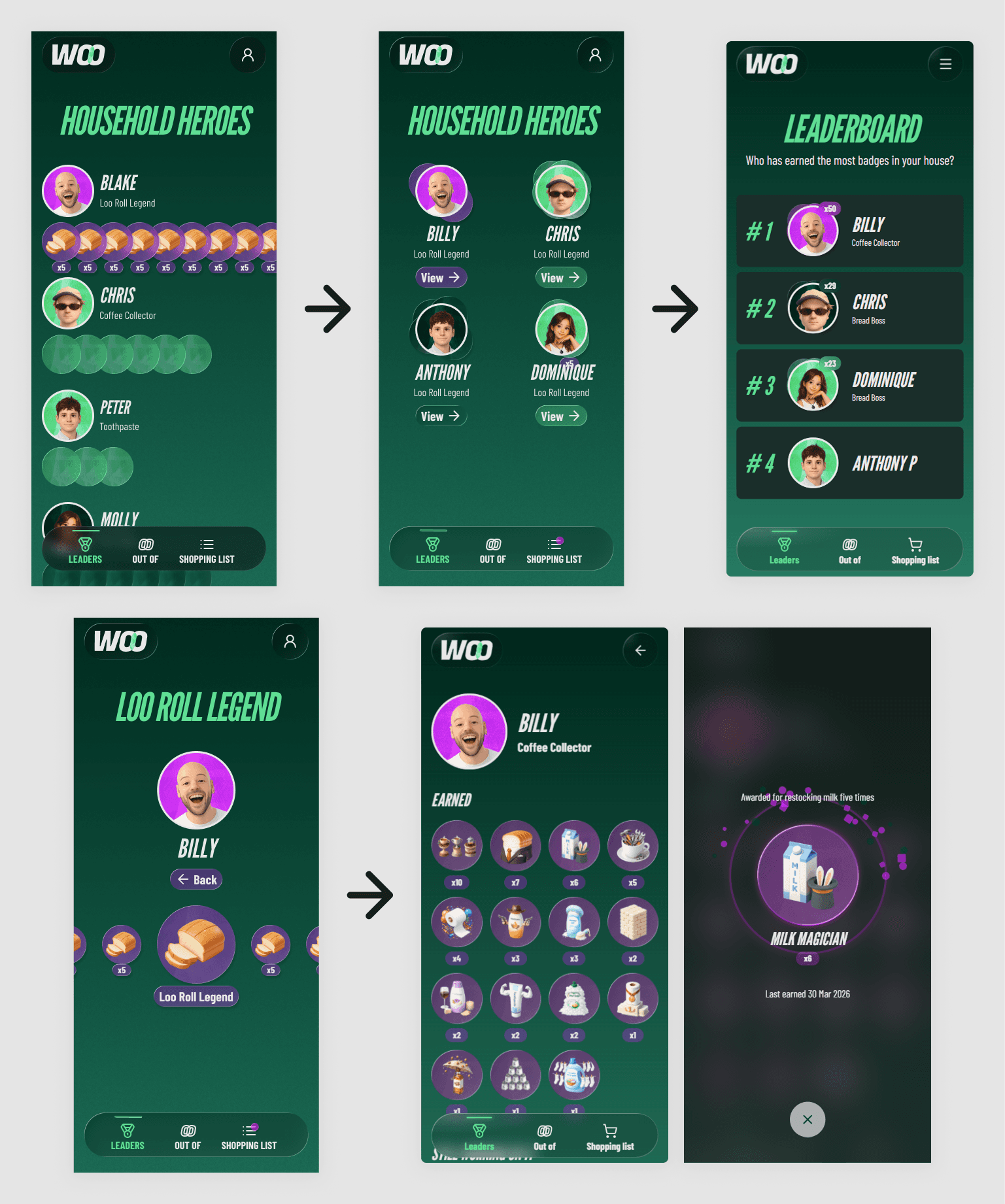
Iteration of key screens as the look & feel approach crystallised
My approach used two distinct AI roles with different responsibilities that complemented my role as designer and product manager:


The workflow
/explore — Analyse the codebase, identify dependencies and ambiguities, ask questions. No code written.
/plan — Structured markdown plan with tasks tracked via status emoji (🟩 Done / 🟨 In Progress / 🟥 To Do).
/build — Implement against the plan. Minimal, well-commented code. Plan updates as each step completes.
/review — Code review against a defined checklist: TypeScript strictness, security, performance, React patterns.
/document — CHANGELOG updated after every session with code-verified entries and an archived version of each plan.
The slash command system defines what each mode is for, what output to expect, and what's in scope. This helped keep the workflow refined, structured and predictable while ensuring knowledge and context wasn't lost across sessions as a result of detailed documentation.
The stack
My CTO helped advise on a basic stack to support the back-end of WOO. Being a 'demo' app, customisation & scale weren't top priorities, I needed something that was cost-effective, well integrated and easy to set up, helping me to focus on product & design direction.

Supabase - A managed backend service handling the database and user authentication out of the box. For a demo, it removed the need to build or configure any server infrastructure.

Github - Version control and issue tracking that kept the workflow clean and gave Claude Code a clear branching strategy to follow.

Vercel - Zero-config deployment & hosting that connects directly to GitHub.
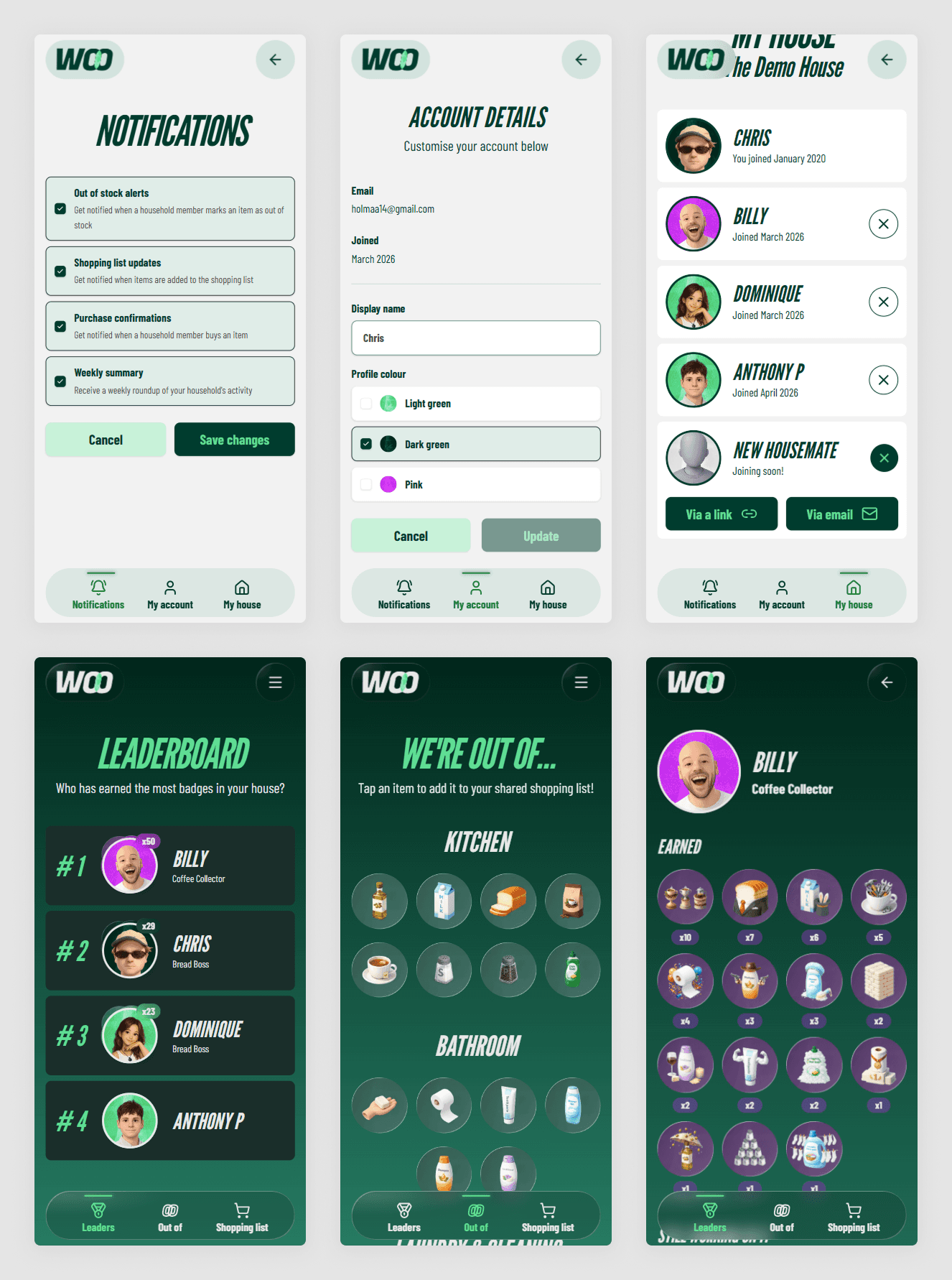
Interfaces built using customised shadcn/ui components & Tailwind CSS
What I'd do differently
If I'm being really honest, there were probably times where I leaned too much on the AI in key product decisions. At points the lack of guidance and oversight caused some rework.
I'd spend more time upfront defining the end-to-end user journey: Onboarding -> tracking -> shopping list -> gamification. I focused on the shopping list and gamification at the start (because this was the fun exciting stuff), this approach caused some complexity down the track.
Key learnings
It's important to keep conversations and building sessions focused on one feature. Brief, ship and then document before moving onto the next task. When the context window became too large, Claude began to get things wrong and burn through credits.
At times Claude Code ran itself around in circles trying to debug issues that arose due to suboptimal code. For this contained app it wasn't a big issue but for a more complex production product with real users, I'd want an experienced engineer guiding & reviewing AI-generated code before it shipped.
What this project shows
I'm adaptable and willing to learn new tools and ways of working, not through a short course or bootcamp but by getting my hands dirty through trial and error. My willingness to dive in and grow makes me a great contributor to any product team.
